Moneycontrol Brokerage Recos

Showing posts with label OCI. Show all posts

Sunday, May 31, 2020

1Z0-1072 : Oracle Cloud Infrastructure 2019 Architect Associate


Pleased to inform you all that I passed 1Z0-1072 : Oracle Cloud Infrastructure 2019 Architect Associate.
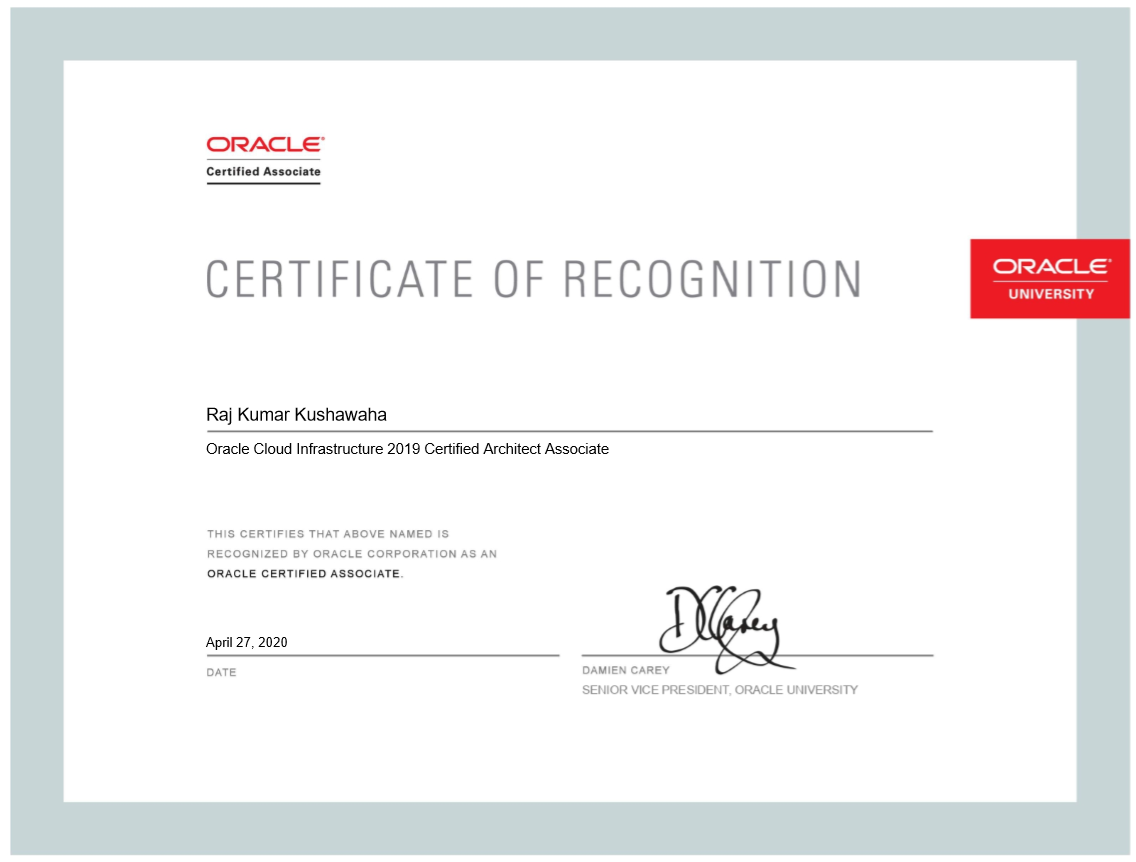


It's generosity of Oracle that it made its official training videos of  "Cloud Infrastructure 2019 Architect Associate" public and also offered to appear for the exam at free of cost in this time of pandemic crisis around the globe, it given us an opportunity to learn and scale our skills to enhance our career as well as expanding our area of expertise.


At this time of writing, Oracle has offered multiple Oracle cloud related training and certifications at free of cost, click here to know all those which is available in the list as of now - or you can

Click here to directly go to the OCI Associate training videos and start learning the new.


Click here for the practice exam.


Click here for Oracle Cloud Infrastructure (OCI) Architect Associate exam 2019 (1Z0-1072) StudyGuide


Certification Details
Certification name: 1Z0-1072 - Oracle Cloud Infrastructure 2019 Architect Associate
Target audience: Designed for professionals responsible for designing infrastructure solutions using Oracle Cloud Infrastructure services
Exam price: $150
Format: Multiple choice
Duration: 105 minutes
Number of questions: 66
Passing score: 65%


I encourage you to utilize this opportunity and learn and add new skills in your professional profile.


Hope it helps, thanks for reading, please subscribe to this blog to stay updated with latest news on Oracle Cloud Infrastructure and Oracle Autonomous Database Cloud Services and new articles.


Wednesday, May 13, 2020

Oracle Cloud Infrastructure vs. AWS


Oracle Cloud Infrastructure vs. AWS


Read here to know great insights on how Oracle Cloud Infrastructure services price are much cheaper with greater performance as compared to AWS Cloud services.


Read here - https://www.oracle.com/cloud/economics/


Hope it helps, thanks for reading, please subscribe to this blog to stay updated with latest news on Oracle Cloud Infrastructure and Oracle Autonomous Database Cloud Services and new articles.


Twitter : https://twitter.com/rajsoft8899

Linkedin : https://www.linkedin.com/in/raj-kumar-kushwaha-5a289219/

Facebook : https://www.facebook.com/rkushawaha


Saturday, April 25, 2020

Free Oracle OCI and Autonomous Database training & Certification


As most of the Oracle enthusiasts are aware of free Oracle Cloud Infrastructure and Autonomous database training and certifications being offered by Oracle until 15th May 2020, you must start your learning today and don't miss your train.

Oracle has given one of the best gift to all Oracle aspirants to learn new skills and earn the valuable certificate for free of cost - it is BIG gift.

Make a target, when you come out of this pandemic lock-down, you have new skills to show to your employer.


Below are the list of free Oracle cloud training one would be interested to learn.


It is just weeks away when you would miss this wonderful opportunity since the offer is only valid till 15th May 2020, just login to your oracle account, click on one of the training listed above and it would direct you to the training videos page.

Once finished with all the videos, you should have good understanding of the subject, do complete exam practice questionnaire  and book for your certification slot from the next section on the training videos page itself - this way you get to PearsonVue site get your exam booked for free.

Please make a note that you need to book your exam through the training site, and don't go directly to pearsonvue, otherwise you won't get it for free.


Hope it helps, thanks for reading, please subscribe to this blog to stay updated with latest news on Oracle Cloud Infrastructure and Oracle Autonomous Database Cloud Services and new articles.


Twitter : https://twitter.com/rajsoft8899
Linkedin : https://www.linkedin.com/in/raj-kumar-kushwaha-5a289219/
Facebook : https://www.facebook.com/rkushawaha


Friday, March 6, 2020

DBCS - Database Cloud Service Patching


Here in this article, I would summarize how easily we can do the "Database Cloud Service" patching online just via few clicks from the "Oracle Cloud Service Console".


Login to the Cloud Console and go to the DBCS instance page.


Click on the DBCS instance you want to patch, Instance Overview page opens. In my below example, there is a primary and standby Cloud instances.


At left side, click on the "Administration" tab, Patching page opens up which has list of all Available Patches for the underline DBCS instance.


Choose the right PSU Update and click on the right side hamburger sign, and click on Patch prechecks. Once you click on the pre-checks, it confirms if the patch is downloadable and /u01 mount on the DBCS instance host has enough free space available.


You can navigate through "Activity" tab to see the pre-check detail steps.


Once the pre-check completes, then initiates the actual patching job, it asks for the Patching Notes and choose whether you want to patch with "Switch-over" so there is no down-time.


The node hosting the standby database is patched first. A switchover operation is performed after patching is complete on the standby and then the patch is applied to the node hosting the new
standby.


If you want errors to be ignored during the patching operation, select the Force apply patch option. Then, click Patch.


Hope it helps, thanks for reading, please subscribe to this blog to stay updated with latest news on Oracle Cloud Infrastructure and Oracle Autonomous Database Cloud Services and new articles.

Twitter : https://twitter.com/rajsoft8899
Linkedin : https://www.linkedin.com/in/raj-kumar-kushwaha-5a289219/
Facebook : https://www.facebook.com/rkushawaha


Thursday, March 5, 2020

Oracle Cloud Infrastructure Cloud Shell


One of the most awaited feature every Oracle Cloud Admin, developers were waiting for is now released by Oracle - Oracle Cloud Infrastructure "Cloud Shell". Cloud Shell is a web based browser terminal accessible from the Oracle Cloud console.

Cloud Shell provides Linux shell with a pre-authenticated OCI CLI. This feature is available for all Oracle Cloud users and accessible from console. 


Cloud Shell provides:

* An ephemeral machine to use as a host for a Linux shell, pre-configured with the latest version of the OCI Command Line Interface (CLI) and a number of useful tools

* 5GB of storage for your home directory

* A persistent frame of the Console which stays active as you navigate to different pages of the console


Following are the Tools Included With Cloud Shell:

Cloud Shell is a small Linux virtual machine. In addition to the OCI CLI, the Cloud Shell VM comes with current versions of several useful tools and utilities pre-installed, including:

> Git
> Java
> Python (2 and 3)
> SQL Plus
> kubectl
> helm
> maven
> gradle
> terraform


TO start the OCI Cloud Shell, you just have to click on Cloud Shell icon just left to the console notification bell icon at the right top.


 Once you click on the Cloud Shell, a small Linux virtual machine gets created that is equipped with latest oci cli and other various tools listed above and finally you are ready to interact with Oracle Cloud resources from the web-based terminal.


To allow a group of users to use the Cloud Shell, you need to create an IAM policy for this so that all users in that group can use it.

allow group group_name to use cloud-shell in tenancy


Hope it helps, thanks for reading, please subscribe to this blog to stay updated with latest news on Oracle Cloud Infrastructure and Oracle Autonomous Database Cloud Services and new articles.


Twitter : https://twitter.com/rajsoft8899
Linkedin : https://www.linkedin.com/in/raj-kumar-kushwaha-5a289219/
Facebook : https://www.facebook.com/rkushawaha


Oracle Cloud Infrastructure OS Management


Oracle Cloud Infrastructure OS Management service provides simple and very robust tool for general operation system maintenance activities for the compute instances running on Oracle Cloud OCI.

Using this OS management service, you can monitor the packages installed on compute instances, you can do the linux packages maintenance works i.e. adding/installing new packages, removing the existing packages or updating the existing one when that becomes available to its public yum repository.

OS management service is not enabled by default. It is an agent based service that you have to enable by installing osms-agent agent on the underline compute node.


All compute instances which has enabled osms-agent installed is called managed instance. You can manage the managed instances individually or you can group the managed instances and do the bulk maintenance but all the managed instances in the group must have same OS and version.

For detailed learning and understanding of the OS Management service - click here.


Thursday, October 17, 2019

Oracle Cloud Infrastructure(OCI) Service Health Dashboard


While you configure lots of Oracle Cloud Infrastructure resources across different cloud tenancy/region, you may be interested to keep track of health-checks status of all resources/services in your region to make sure everything is healthy in the cloud region where your important cloud services are hosted.

Oracle provides you a very convenient way to monitor the health of all OCI resources/services for all regions in one place.


In order to access the OCI health, you can directly go to the "https://ocistatus.oraclecloud.com/" URL where all OCI services health status is available for you to keep track of or if you are already logged in to your tenancy, click on the "View Health Dashboard" at right top corner  and it would take you to the OCI Health Dashboard page automatically.


From this dashboard you can get current status information about the services in your region.

Customers can self register by clicking on the 'Subscribe to Updates' link which offers email, SMS, Webhook, RSS, and other channels.

Notifications are delivered whenever OCI creates or resolves an incident.


There are four colored notations on the "OCI Health Dashboard" for you to identify whether a particular cloud service in a specific region is healthy or has some issues as following, if all cloud services are green then that has "Normal Performance" and everything is healthy and optimal.

Similarly, there is "Degraded Performance" , "Partial Outage" and "Major Outage" notations to identify the resource glitch.


Currently, you can see that everything is in "Normal Performance" range as below.


You can subscribe to incident notifications to your email address as when when there is an incident created in any regions or you can opt-in for your own region only where all your cloud services are running.


Hope it helps, thanks for reading, please subscribe to this blog to stay updated with latest news on Oracle Cloud Infrastructure and Oracle Autonomous Database Cloud Services and new articles.

Twitter : https://twitter.com/rajsoft8899
Linkedin : https://www.linkedin.com/in/raj-kumar-kushwaha-5a289219/
Facebook : https://www.facebook.com/rkushawaha